Rent budget calculator:
count the whole monthly cost.
A rent figure cannot tell you what your month will look like. Add utilities, housing fees, everyday spending, and savings before you compare homes.
MonkeyRent helps you test a household budget with your own numbers. Use it while you read rental listings and prepare questions for a property manager.
Calculate your rent budgetMonthly rent budget calculator
Enter monthly amounts in US dollars. Use take-home income after tax and payroll deductions. Enter your share of shared bills consistently. The starting values are an illustrative example, not typical rents or recommended spending limits.
Enter zero when a cost does not apply. Each field accepts amounts up to $1,000,000 with at most two decimal places.
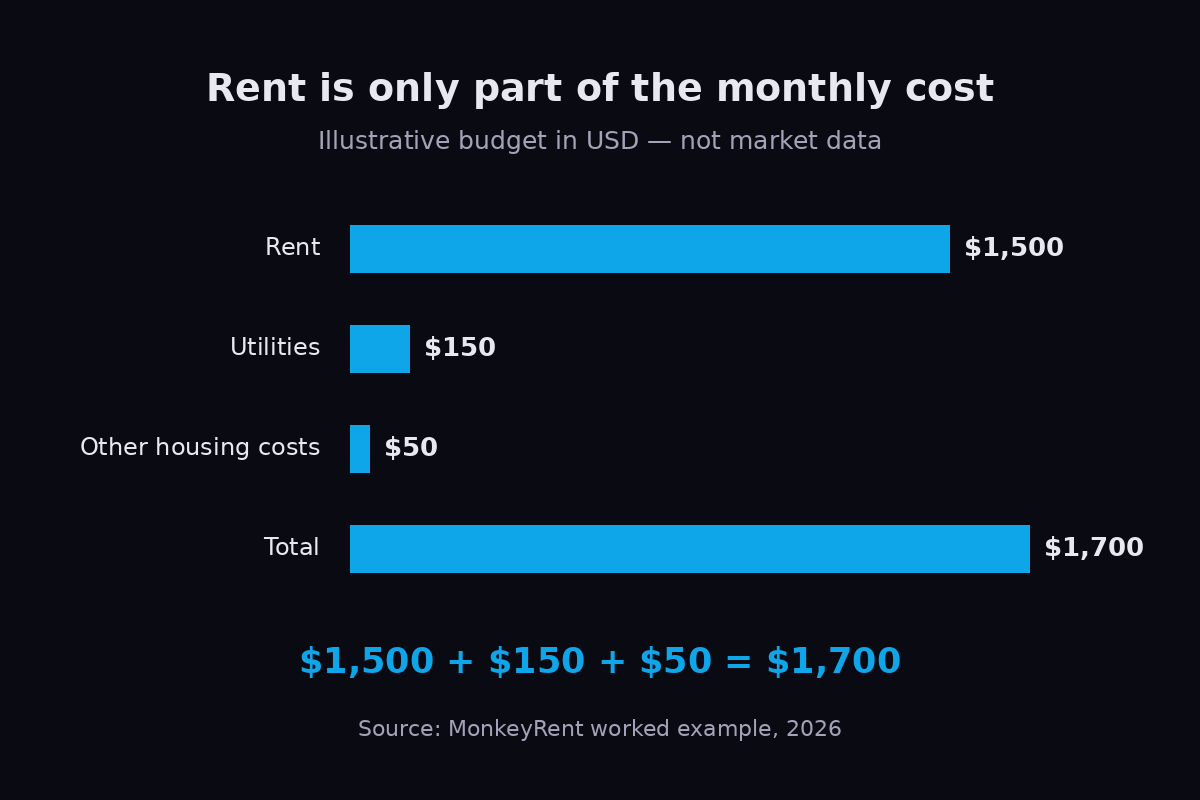
Method: housing cost = rent + utilities + other housing costs. Remaining balance = take-home income − housing cost − other living expenses − savings. Calculations run in your browser. The calculator sends no inputs and stores no values.
Build a budget from the listing
Separate the housing costs
Start with the rent in the proposed lease. Ask which utilities the rent includes. Put only the additional utilities in the calculator. Use the housing costs field for recurring parking, pet charges, renters insurance, or other costs that apply to your home.
Ask for a written list of required charges. Keep optional services separate while you decide whether you need them. Do not count a bill twice because it appears in both a listing and a utility estimate.
Keep everyday spending visible
Use your own spending records for groceries, transport, debt payments, childcare, health costs, and other regular expenses. Include these in other living expenses. Enter planned savings separately so the result leaves that money aside.
The Consumer Financial Protection Bureau, in Creating a cash flow budget (2021), includes everyday expenses, bills, and savings in its calculation. It also tracks when money arrives and leaves. This calculator provides a monthly total; check your pay dates against bill dates separately.
Read the remaining balance
A negative balance means the entered spending and savings exceed the entered income. A zero balance leaves no unassigned money in this calculation. A positive balance shows money you did not assign to these fields.
Try the same calculation with a lower income estimate or a higher utility estimate. Compare the results before you choose a rent commitment. The result cannot predict your actual bills or a landlord’s approval decision.
Check the costs before you move
Keep a separate list for the deposit, moving costs, application charges, and any rent due before your next payday. Do not enter a one-time deposit as a recurring monthly bill. Ask the manager for the amount and due date of each payment.
- Ask which charges recur and which apply only when you move.
- Ask whether the quoted rent includes a temporary discount.
- Write down the full rent after any discount ends.
- Compare homes using the same household size and expense categories.
Check the listing as well as the budget. The Federal Trade Commission’s December 2025 rental scams report describes copied listings and pressure to pay before viewing. Search the address for conflicting prices or contact details. An affordable calculation does not establish that a listing is genuine.
Questions about the calculator
Does MonkeyRent search rental listings?
No. This page calculates a budget from your entries. It has no listing search, live market prices, or lease review service.
Can I use it with roommates?
Yes. Enter your own income and your agreed share of each bill, or enter the whole household consistently. Do not mix personal income with household expenses.
Does it check tenant rights?
No. It does not interpret lease terms or local rules. Ask your local housing authority about a specific legal question.